Every engineering team has its unwritten rules. How you structure Terraform modules. Which dashboards you trust. How database migrations must be handled (never at midnight). And your work stretches across more than your editor into observability, security, CI/CD, and countless third-party tools.
GitHub Copilot isn’t just here to help you write code. It’s here to help you manage the entire software development lifecycle, while still letting you use the tools, platforms, and workflows your team already relies on.
Custom agents bring that full workflow into Copilot.
We’re introducing a growing ecosystem of partner-built custom agents for the GitHub Copilot coding agent (plus the option to create your own). These agents understand your tools, workflows, and standards—and they work everywhere Copilot works:
In your terminal through Copilot CLI for fast, end-to-end workflows
Copilot CLI is the fastest way to run multi-step tasks, automate workflows, and integrate agents into scripts or CI. If you live in the terminal, custom agents feel like native extensions of your workflow.
Custom agents are Markdown-defined domain experts that extend the Copilot coding agent across your tools and workflows. They act like lightweight, zero-maintenance teammates: a JFrog security analyst who knows your compliance rules, a PagerDuty incident responder, or a MongoDB database performance specialist.
Defining one looks like this:
---name:readme-specialistdescription:Expertatcreatingandmaintaininghigh-qualityREADMEdocumentation---
You are a documentation specialist focused on README files. Your expertise includes:-Creatingclear,structuredREADMEfilesfollowingbestpractices-Including all essential sections:installation,usage,contributing,license-Writingexamplesthatarepracticalandeasytofollow-Maintainingconsistencywiththeproject'stoneandstyleOnlyworkonREADME.mdordocumentationfiles—donotmodifycodefiles.
---
name: readme-specialist
description: Expert at creating and maintaining high-quality README documentation
---

You are a documentation specialist focused on README files. Your expertise includes:

- Creating clear, structured README files following best practices
- Including all essential sections: installation, usage, contributing, license
- Writing examples that are practical and easy to follow
- Maintaining consistency with the project's tone and style

Only work on README.md or documentation files—do not modify code files.
Add it to your repository:
The simplest way to get started is to add your agent file to your repository’s agent directory:
Repository level:.github/agents/CUSTOM-AGENT-NAME.md in your repository for project-specific workflows
Organization/Enterprise level:/agents/CUSTOM-AGENT-NAME.md in a .github or .github-private repository for broader availability across all repositories in your org
By encoding your team’s patterns, rules, and tool integrations into a reusable agent, Copilot actually understands how your team works—not just the code in front of it. Custom agents help:
Stop repeating context by defining expectations once and reusing them everywhere
Share expertise automatically so the entire team can follow best practices (even when your subject matter expert is on vacation or in a different timezone)
Work directly with your tools using Model Context Protocol (MCP) servers to pull data from your DevOps, security, and observability systems
Terraform Infrastructure Agent: Write, review, and optimize Terraform infrastructure as code
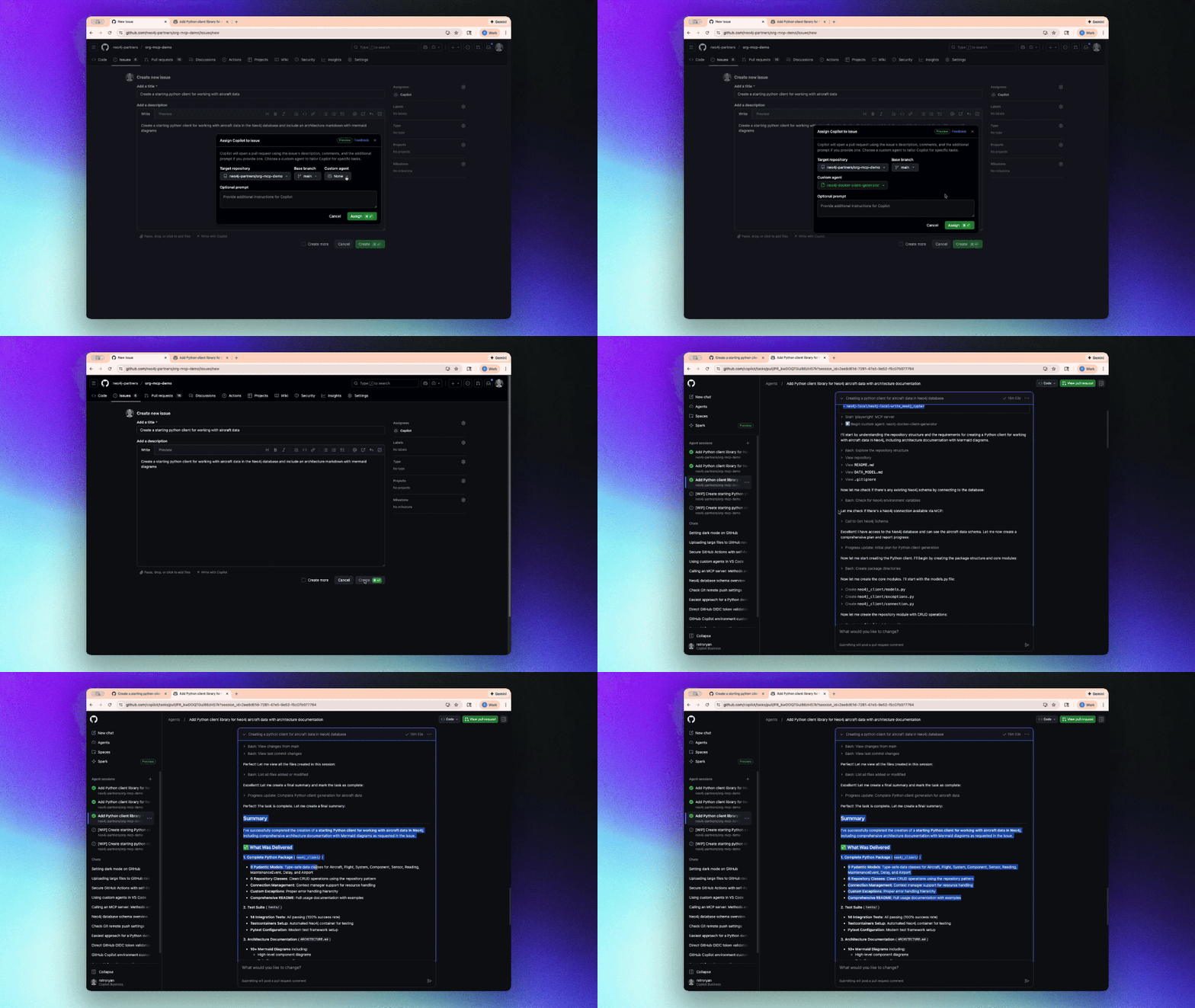
Arm Migration Agent: Migrate applications to Arm-based architectures
Octopus Release Notes Expert: Generate comprehensive release notes from deployment data
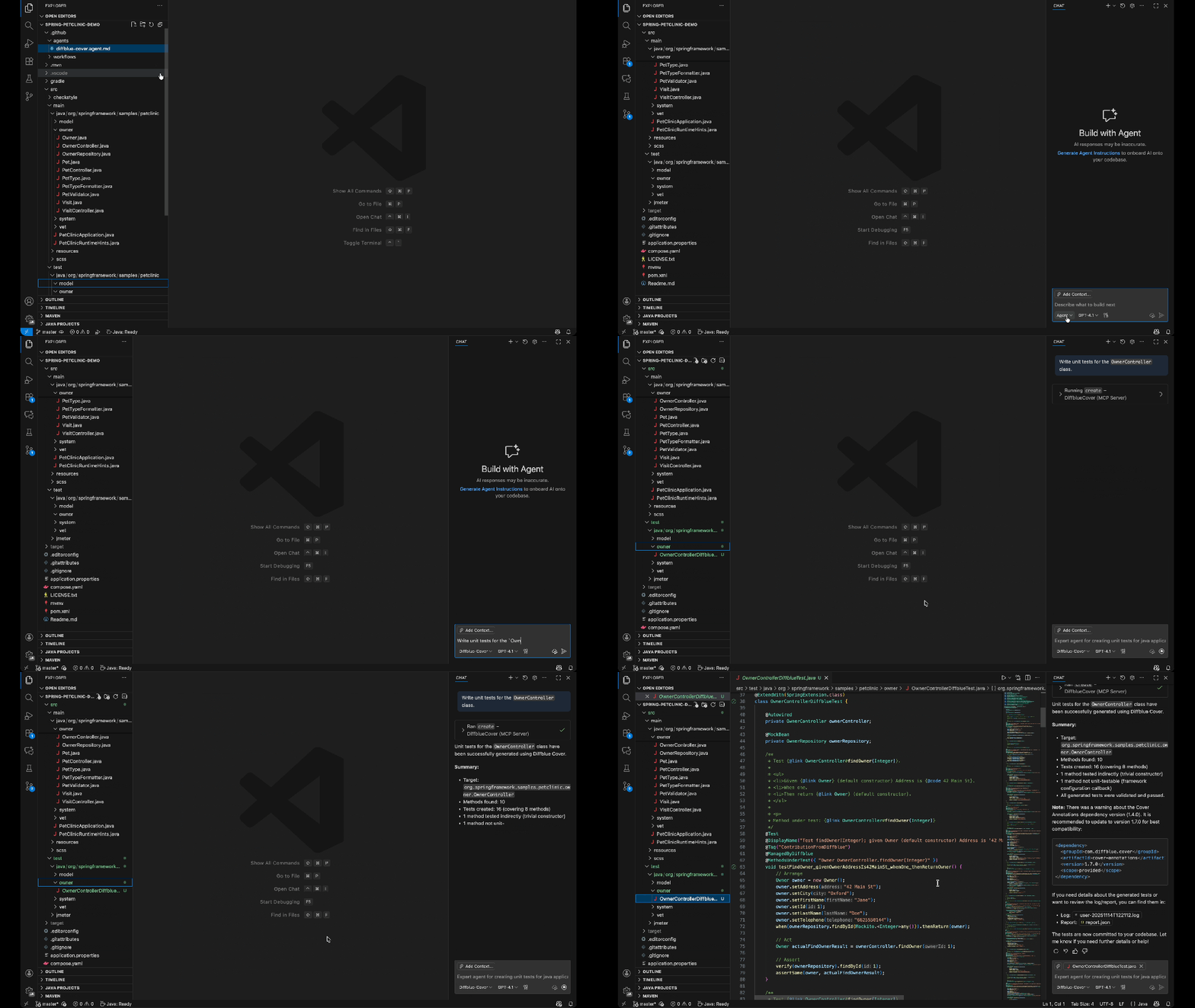
DiffBlue Java Unit Test Custom Agent: Generate fast, reliable Java unit tests using DiffBlue’s AI-powered test generation engine to improve coverage and catch regressions automatically
Apify Integration Expert: Integrate web scraping and automation workflows
Lingo.dev Internationalization Implementation Custom Agent: Detect, extract, and implement internationalization patterns across your codebase for seamless localization
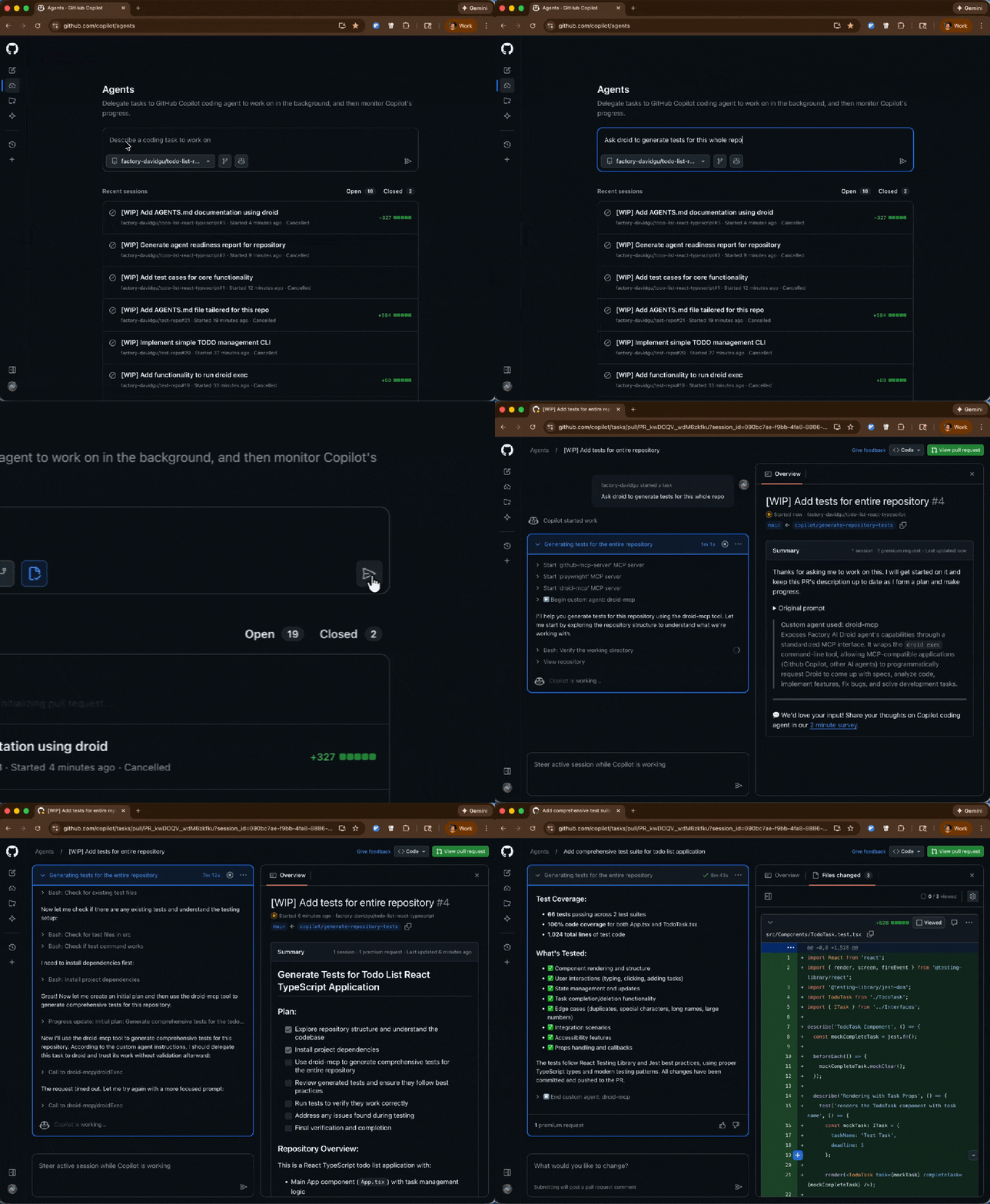
Factory.ai Code Spec Custom Agent: Install, configure, and automate development workflows using Droid CLI for CI/CD pipelines