

Git Credential Manager: authentication for everyone
Ensuring secure access to your source code is more important than ever. Git Credential Manager helps make that easy.

Build what's next on GitHub, the place for anyone from anywhere to build anything.

Join us October 28-29 in San Francisco or online for GitHub Universe, our flagship developer event uniting people, agents, and the world's code.
The new GitHub Desktop is now available. It’s a fast, easy way to contribute to projects from OS X and Windows. Whether you’re new to GitHub or a seasoned user,…
The new GitHub Desktop is now available. It’s a fast, easy way to contribute to projects from OS X and Windows. Whether you’re new to GitHub or a seasoned user, GitHub Desktop is designed to simplify essential steps in your GitHub workflow and replace GitHub for Mac and Windows with a unified experience across both platforms.
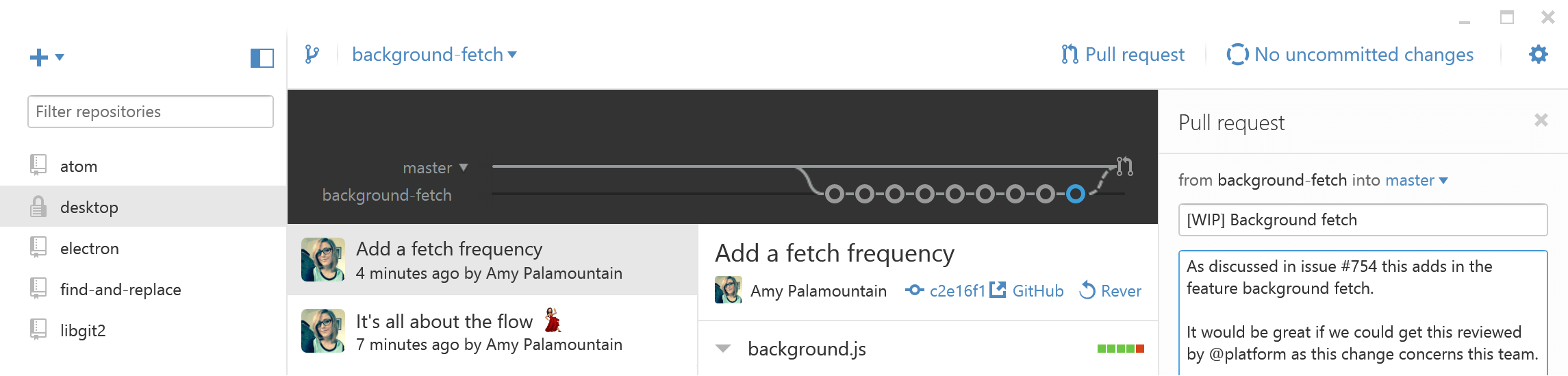
Branches are essential to proposing changes and reviewing code on GitHub, and they’re always available in GitHub Desktop’s repository view. Just select the current branch to switch branches or create a new one.
Craft the perfect commit by selecting the files—or even the specific lines—that make up a change directly from a diff. You can commit your changes or open a pull request without leaving GitHub Desktop or using the command line.
Browse commits on local and remote branches to quickly and clearly see what changes still need to be merged. You can also merge your code to the master branch for deployment right from the app.

Ready to start collaborating? Download GitHub Desktop. If you’re using GitHub for Mac or Windows, the upgrade is automatic.
Ensuring secure access to your source code is more important than ever. Git Credential Manager helps make that easy.
GitHub Desktop 2.8 now includes several new features to make it easier to work with diffs and easier for people who have multiple copies of the same repository. Expand diffs…