GitHub has been rapidly evolving into a complete development platform over the past year and a half, with the addition of native CI/CD capabilities using GitHub Actions. But did you know that you can implement DevSecOps natively in GitHub Enterprise, using GitHub Advanced Security? In this post, we will explore the OWASP DevSecOps Maturity Model (DSOMM) and demonstrate how you can achieve Level 1 maturity by implementing software composition analysis (SCA), static application security testing (SAST), dynamic application security testing (DAST), and secret scanning using GitHub-native capabilities within the developer workflow.
{"@context":"https://schema.org","@type":"FAQPage","mainEntity":\[{"@type":"Question","name":"What is DSOMM?","acceptedAnswer":{"@type":"Answer","text":"OWASP created the DSOMM framework in order to show application security measures which can be applied when using DevOps strategies and how these can be prioritized. DSOMM strives to incrementally increase the effectiveness of a security program from Level 1 (least mature), to Level 4—a fully implemented DevSecOps program built into your DevOps practices. "}}]}
Before we dig into the how, let’s align on a definition of DSOMM.
OWASP created the DSOMM framework in order to show application security measures which can be applied when using DevOps strategies and how these can be prioritized. DSOMM strives to incrementally increase the effectiveness of a security program from Level 1 (least mature), to Level 4—a fully implemented DevSecOps program built into your DevOps practices.
There are four main evaluation criteria in DSOMM:
- Static depth – How comprehensive the static code scan that you are performing within the AppSec CI pipeline is.
- Dynamic depth – How comprehensive the dynamic scan that is being run within the AppSec CI pipeline is.
- Intensity – Your schedule frequency for the security scans running in AppSec CI pipeline.
- Consolidation – Your remediation workflow for handling findings and process completeness.
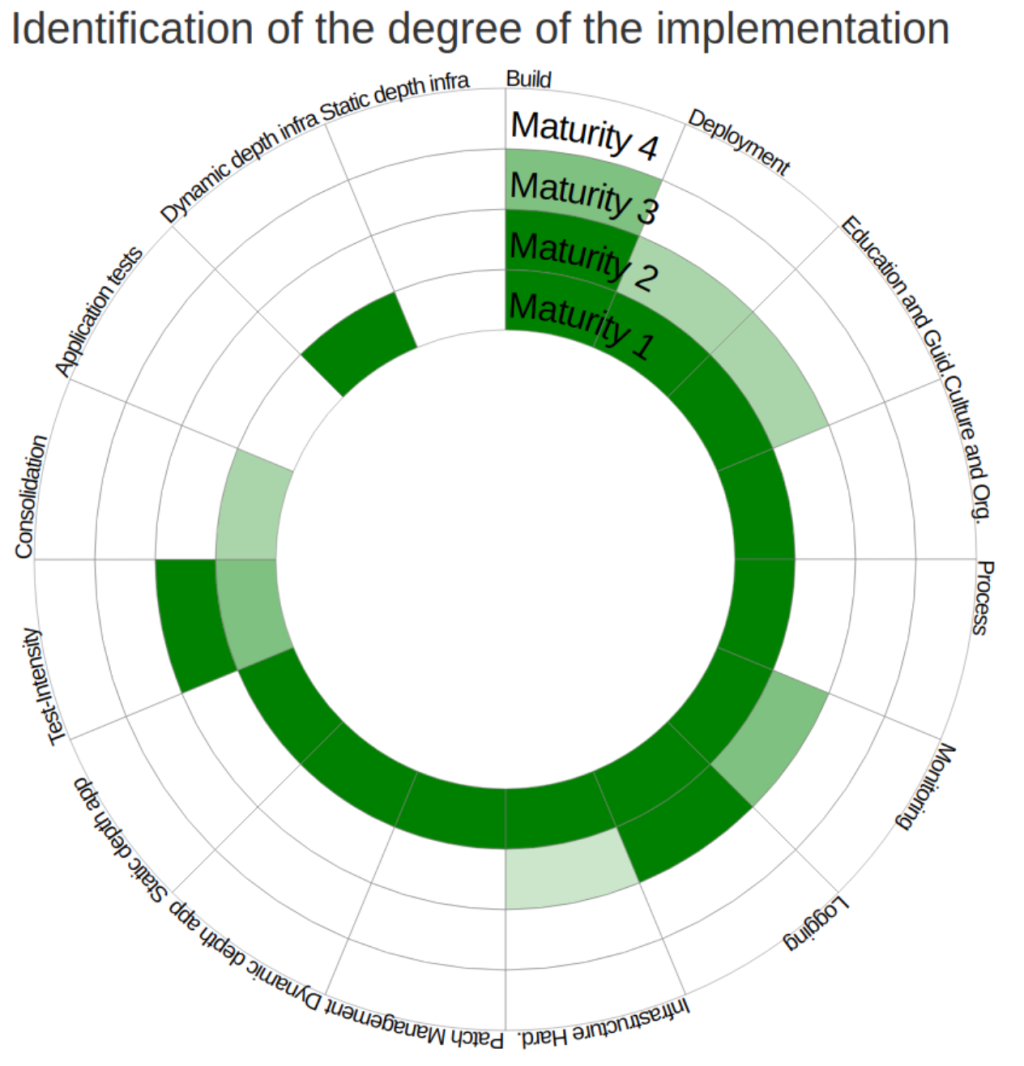
DSOMM has four maturity levels that define various aspects of your overall DevSecOps program. In a typical Level 1 program your practices could mirror the following: Level 1 calls for the execution of static analysis tools including secret scanning, SCA, and SAST without any changes to the tools or settings. DAST tooling is often run with its baseline settings. A well-planned program will increase the intensity linearly over time. The scans are run on your default branch once a week or month and reporting may be disjointed initially, but don’t worry—we will begin to consolidate at Level 2.
Beyond tool implementation, a few key requirements for DSOMM Level 1 are to:
- Never fail a build based on scan results. At this level, there will be false positives and we want to prevent the erosion of trust between our security practices and the development teams that own the remediation workflow.
- Start small with tool implementation and knowledge transfer to the broader engineering teams. It is critical that those teams have the expertise to run the tooling and analyze the results.
Ensure that your tooling provides immediate feedback to developers so they can fix their issues as early in the SDLC as possible. This saves time and brain cycles for developers who often manage tool and task context switching throughout their sprint cycle.
Now that we’re aligned on a few of the cultural best practices and maturity evaluation criteria of DSOMM, let’s implement our tooling with Advanced Security. On GitHub, you can easily use native capabilities to achieve DSOMM Level 1. You can enable native SCA, SAST and secret scanning capabilities, without any changes to existing tools or configurations; and also run DAST tooling with its default settings.
{ "@context": "https://schema.org", "@type": "VideoObject", "name": "Demo Days - Empowering developers with GitHub Advanced Security", "description": "Kevin Alwell, Solutions Engineer, uses GitHub’s fully-integrated CI/CD to enable native application security features. Dive into GitHub Actions, code scanning, software composition analysis, secret detection, and policy enforcement to achieve DevSecOps maturity.", "uploadDate": "2020-09-30T08:00:00+08:00", "embedUrl": "https://www.youtube.com/embed/G5YQJdOhaZM", }
To learn how to do it yourself, check out the in-depth demo in the video above. To follow this session along in your own environment, you’ll need Advanced Security enabled on your organization. I’ll walk through implementing:
Once your development team is practicing DSOMM and has achieved Level 1, you can try to tackle maturing to Level 2 in six to 12 months. Let’s do this! Please join our GitHub Demo Day livestream and stay tuned for future blog posts on DevSecOps.
Questions? Contact your account management team or the GitHub Sales Team to see how GitHub can help your engineering team build better, more secure software together.