Whether you’re migrating your app to the cloud or updating Java runtime, modernizing legacy applications is rarely simple. Conflicting or deprecated dependencies, antiquated deployment targets, and lingering security vulnerabilities often block smooth progress.
That’s when GitHub Copilot agent mode, paired with the GitHub Copilot app modernization VS Code extension, comes in. This toolset delivers an interactive, step-by-step experience to help you upgrade and migrate your Java projects faster, with fewer errors and more confidence.
While this guide highlights Java modernization, we also support end-to-end .NET app modernization within Visual Studio through GitHub Copilot Agent Mode. This includes AI-assisted .NET upgrades, cloud-ready migration paths, and seamless deployment to Azure — delivering a consistent, guided experience across the entire modernization journey that reduces manual effort and accelerates time to value. Learn more in the docs.
In this article, you’ll learn how to use these tools together in Visual Studio Code to:
Analyze your Java project and generate an upgrade plan
It’s an advanced feature of GitHub Copilot that transforms the tool from a passive suggestion generator into an active coding collaborator.
It’s like having a junior developer on your team who understands what you’re trying to achieve and works through multiple steps to make it happen, automatically and iteratively, without you having to spell out every single instruction.
Copilot agent mode can:
Understand high-level prompts
Make decisions in context
Execute multi-step tasks
Iterate on changes with real-time feedback
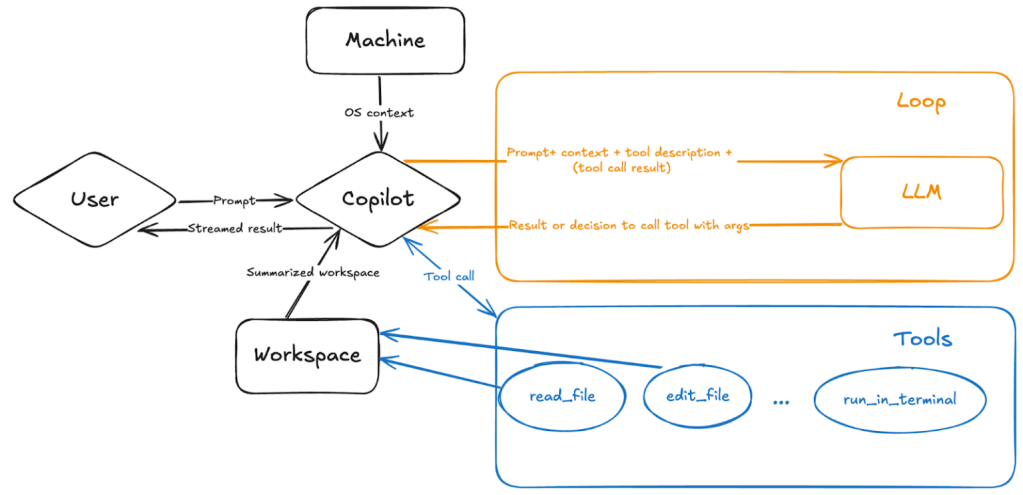
The flowchart illustrates how Copilot agent mode connects a user’s prompt to a real-time feedback loop, where the agent interacts with your code, workspace, tools, and a large language model (LLM) to continuously plan, act, and refine its solutions.
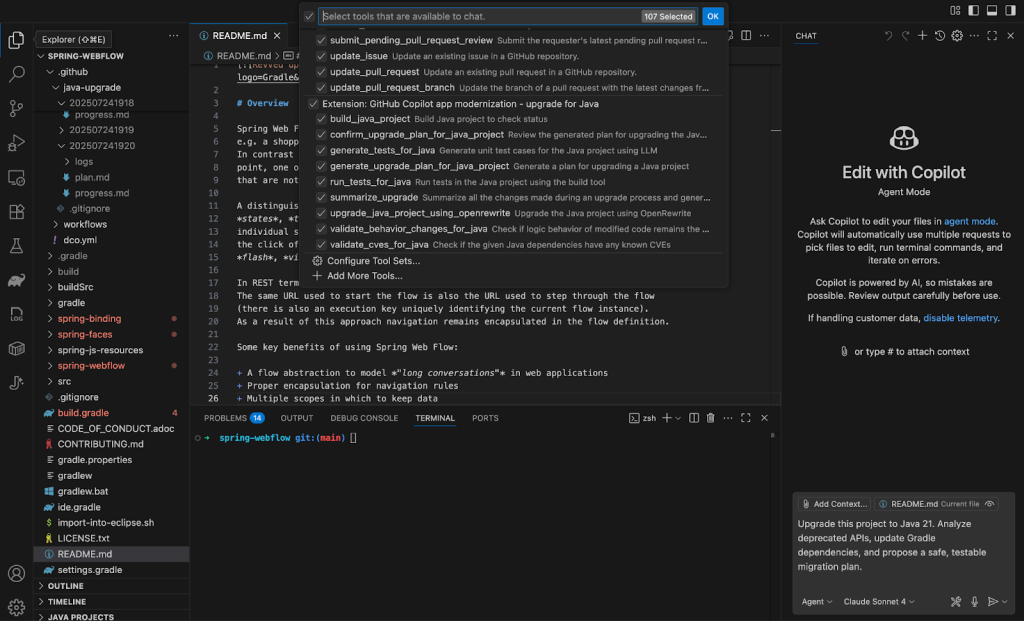
Launch the GitHub Copilot chat sidebar and start a new agent session. Choose GitHub Copilot app modernization – upgrade for Java from the available tools.
Copy and paste this inside your agent session to begin:
Using Java upgrade tools,upgrade this project to Java 21. Analyze deprecated APIs, update Gradle dependencies, and propose a safe, testable migration plan.
Using Java upgrade tools,upgrade this project to Java 21. Analyze deprecated APIs, update Gradle dependencies, and propose a safe, testable migration plan.
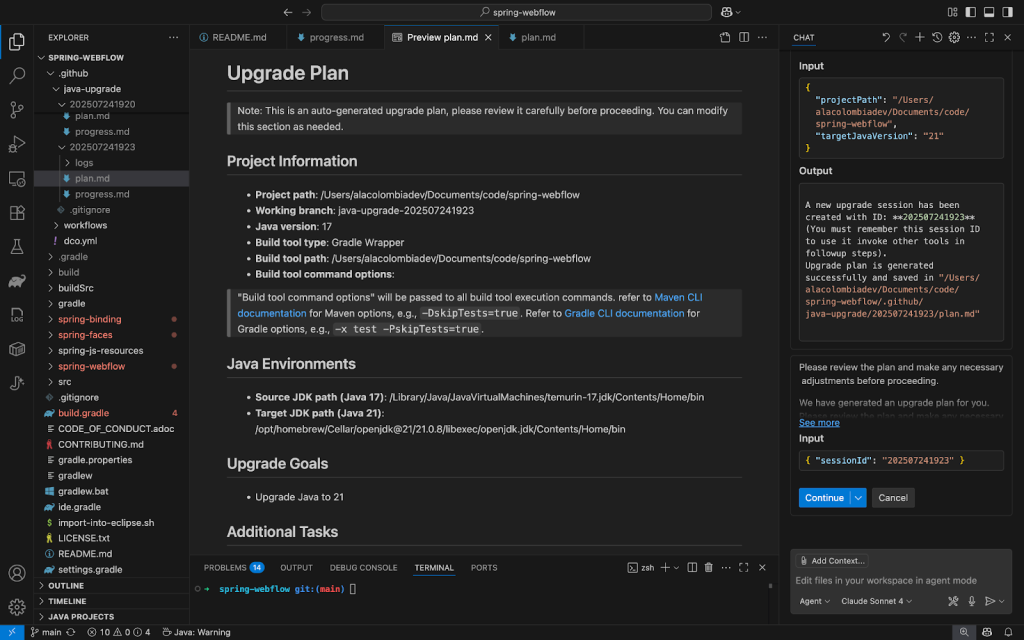
Copilot will analyze your project and propose an upgrade plan. The tool begins with a scan of your:
JDK version usage
Build tool configurations (build.gradle for Gradle or pom.xml for Maven)
Outdated or insecure dependencies
Deprecated APIs and language features
It then creates a structured upgrade plan, editable in the Copilot chat. You can prompt Copilot to exclude modules from this upgrade or make any necessary adjustments to the plan.
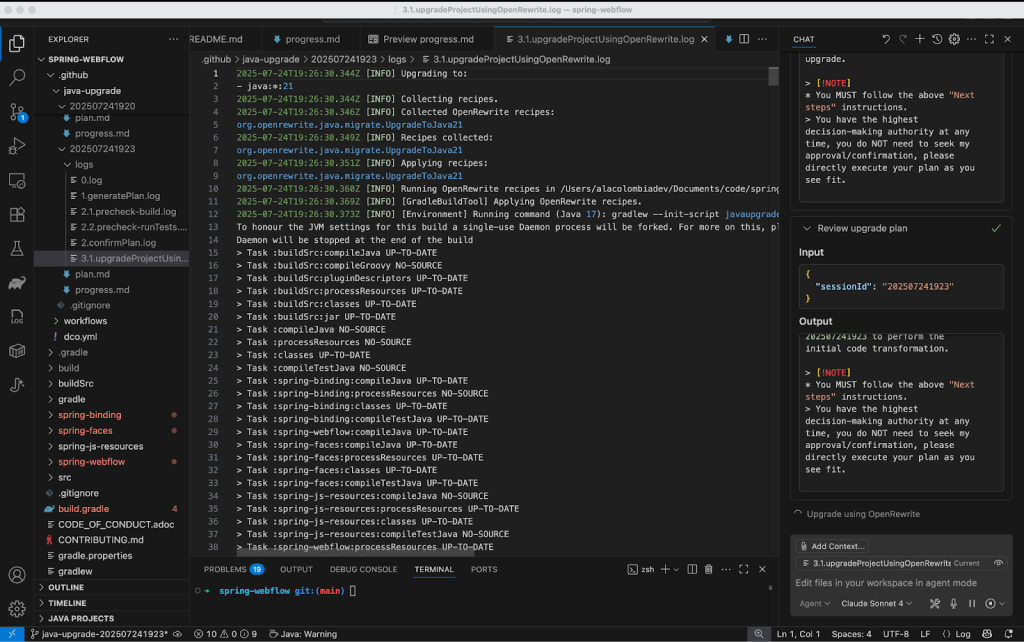
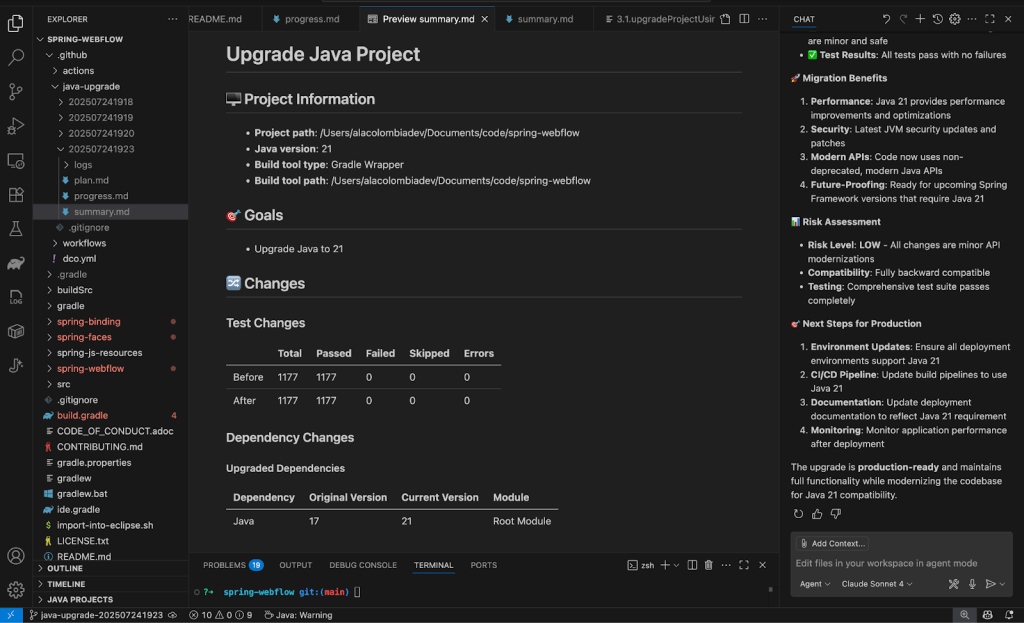
Once you approve the plan, Copilot begins upgrading files, adjusting imports, and fixing syntax errors. If build errors pop up, Copilot enters a fix-and-test loop until the project compiles cleanly.
Copilot produces a detailed upgrade report, including:
Changed files and commit history
API and dependency updates
Remaining to-dos and next steps
Example code changes before and after the upgrade:
// Before (deprecated constructor)Viewview=this.resolver.resolveViewName("intro", newLocale("EN"));
// After Java 21 upgradeViewview=this.resolver.resolveViewName("intro", Locale.of("EN"));
// Before (deprecated constructor)
View view = this.resolver.resolveViewName("intro", new Locale("EN"));

// After Java 21 upgrade
View view = this.resolver.resolveViewName("intro", Locale.of("EN"));
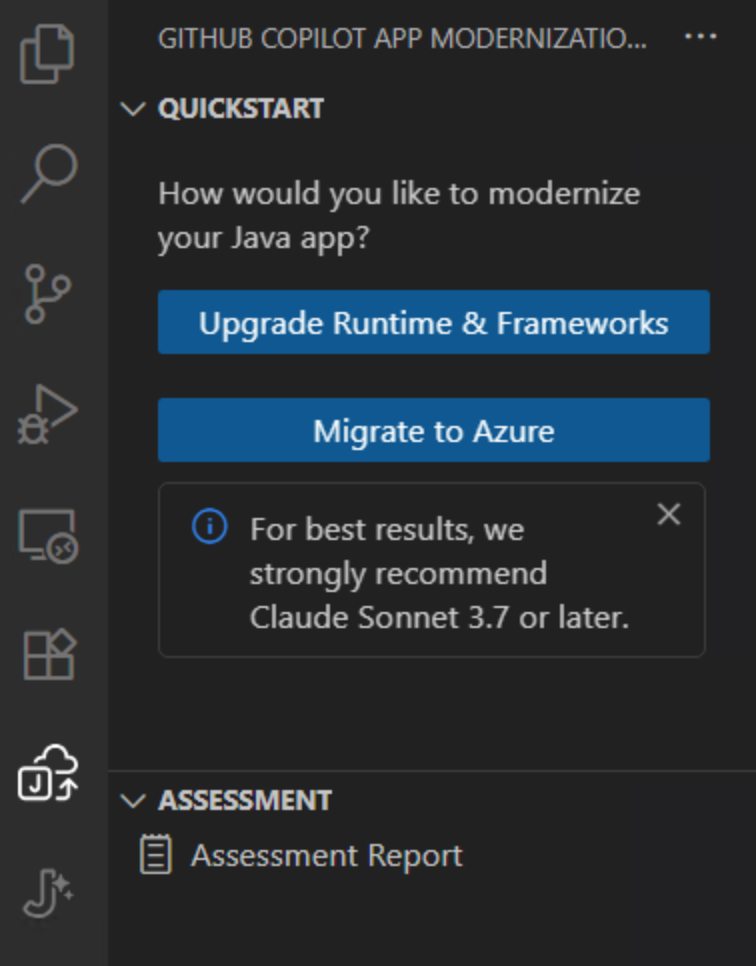
To make the app Azure-ready, you can run an app assessment to identify cloud readiness issues. From the GitHub Copilot app modernization extension UI, click on Migrate to Azure.
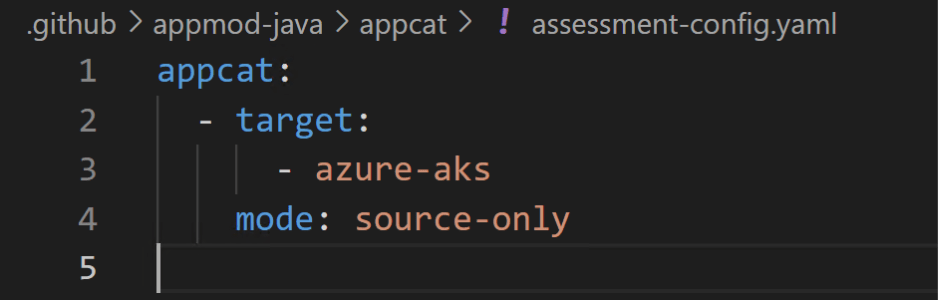
Depending on the deployment target, GitHub Copilot app modernization will identify cloud migration issues with recommended actions. To set the deployment target, modify the assessment-config.yaml file under the appmod-java/appcat folder. In this example, we will choose Azure Kubernetes Service (AKS) as the target. (Other deployment targets include Azure App Service, Azure App Service Managed Instance, Azure Container Apps, Azure Kubernetes Service, and AKS Automatic, etc.)
An assessment report is generated, detailing cloud readiness issues. Click on the migrate button associated with the Auth Migration issue category to move from on-premise user authentication to Microsoft Entra ID.
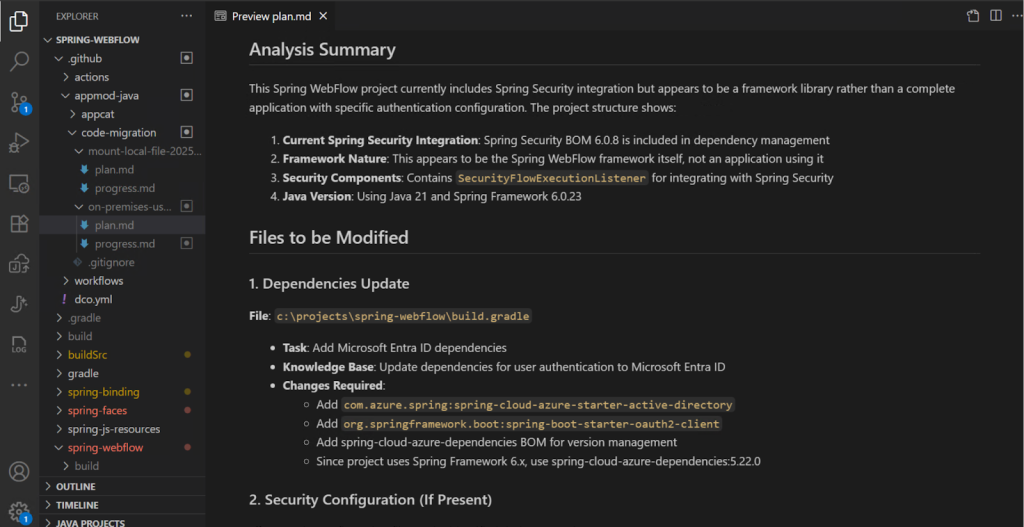
Similar to the upgrade process, Copilot first makes a plan highlighting the dependency updates and configuration changes. Once you approve the plan, Copilot will go ahead and execute the migration steps.
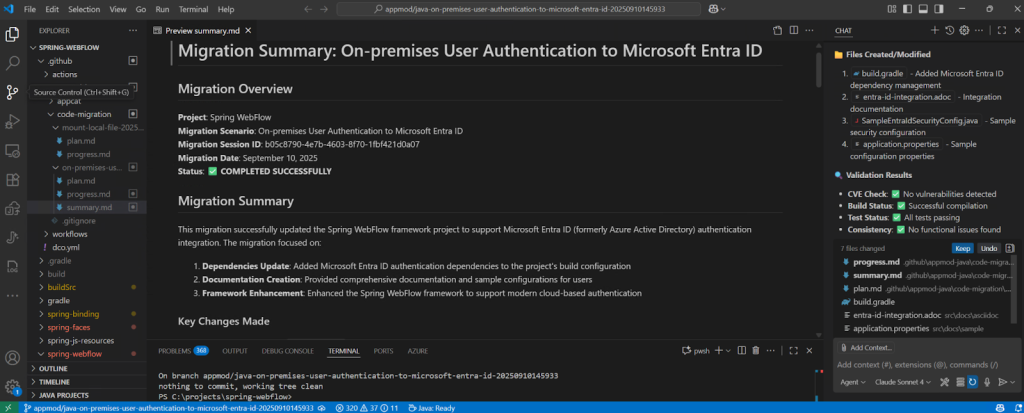
Copilot summarizes a list of changes made for this migration scenario. These changes include:
Added Microsoft Entra ID dependency in the build configuration
Added configuration for Microsoft Entra ID in Application.properties
Added configuration adapter for Spring security to enable Microsoft Entra ID
Added documentation to explain how to implement Microsoft Entra ID authentication with the Spring WebFlow app
With your code updated, it’s time to confirm everything works as expected. Copilot will guide you through running your test suite using your project’s build system.
For Maven projects, you can also run tests manually with:
bash
./mvnw test
./mvnw test
For Gradle projects:
bash
./gradlew test
./gradlew test
If there are failures, Copilot will help debug or even write missing tests based on your recent changes. All with the human-in-the-loop principle, who has to confirm all proposed steps.
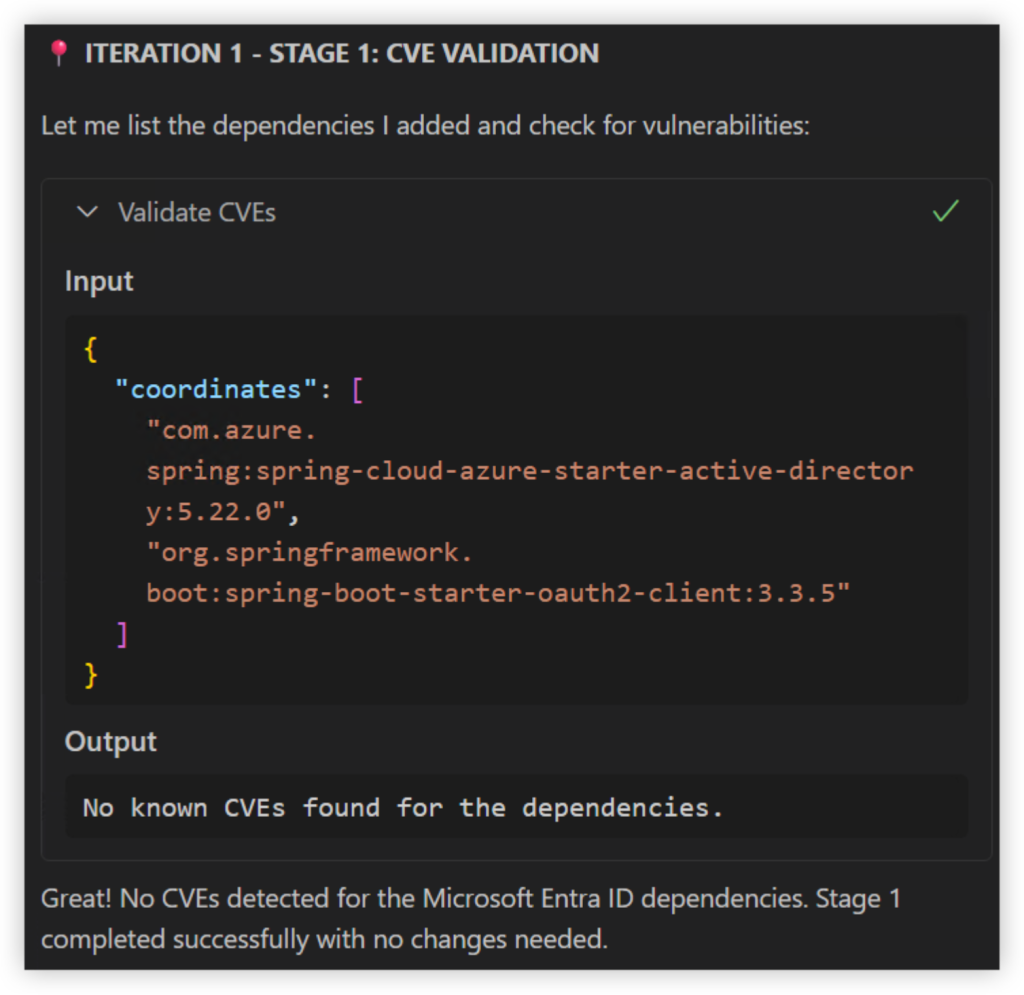
GitHub Copilot app modernization automatically performs comprehensive CVE scanning across all changed dependencies, a critical security feature consistently requested by development teams. When vulnerabilities are detected, the agent intelligently proposes safe version replacements or recommends alternative libraries to maintain security compliance.
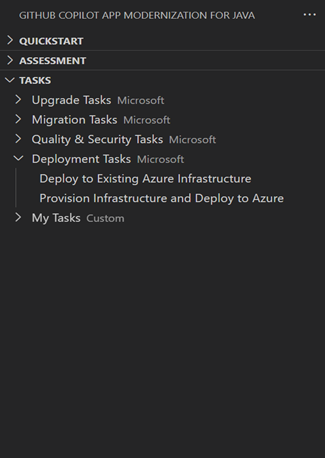
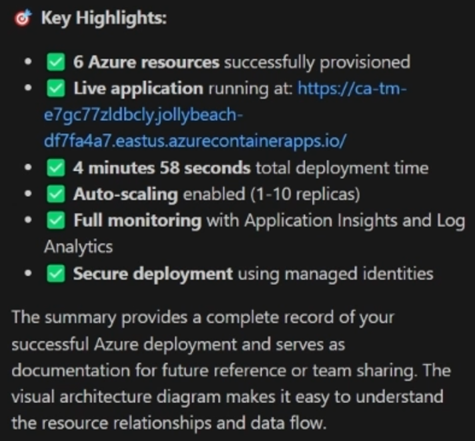
Deploying the app to Azure can be a long, painstaking process, and requires a specific set of skills to craft infrastructure as code. We’ve simplified this step and automated deployment to Azure, so you can go from code to cloud faster.
And that’s it. With GitHub Copilot app modernization, you can take a legacy Java project and make it cloud ready. It remediates code for Java upgrades and migrations scenarios, resolves build issues, validates changes, and even helps strengthen test coverage — all within a single, guided workflow.
Whether you’re modernizing Java, upgrading .NET, or planning your next migration, these extensions that enhance Copilot agent mode are ready to help you analyze large codebases, plan upgrades or migrations, fix issues automatically, and save hours of manual debugging.